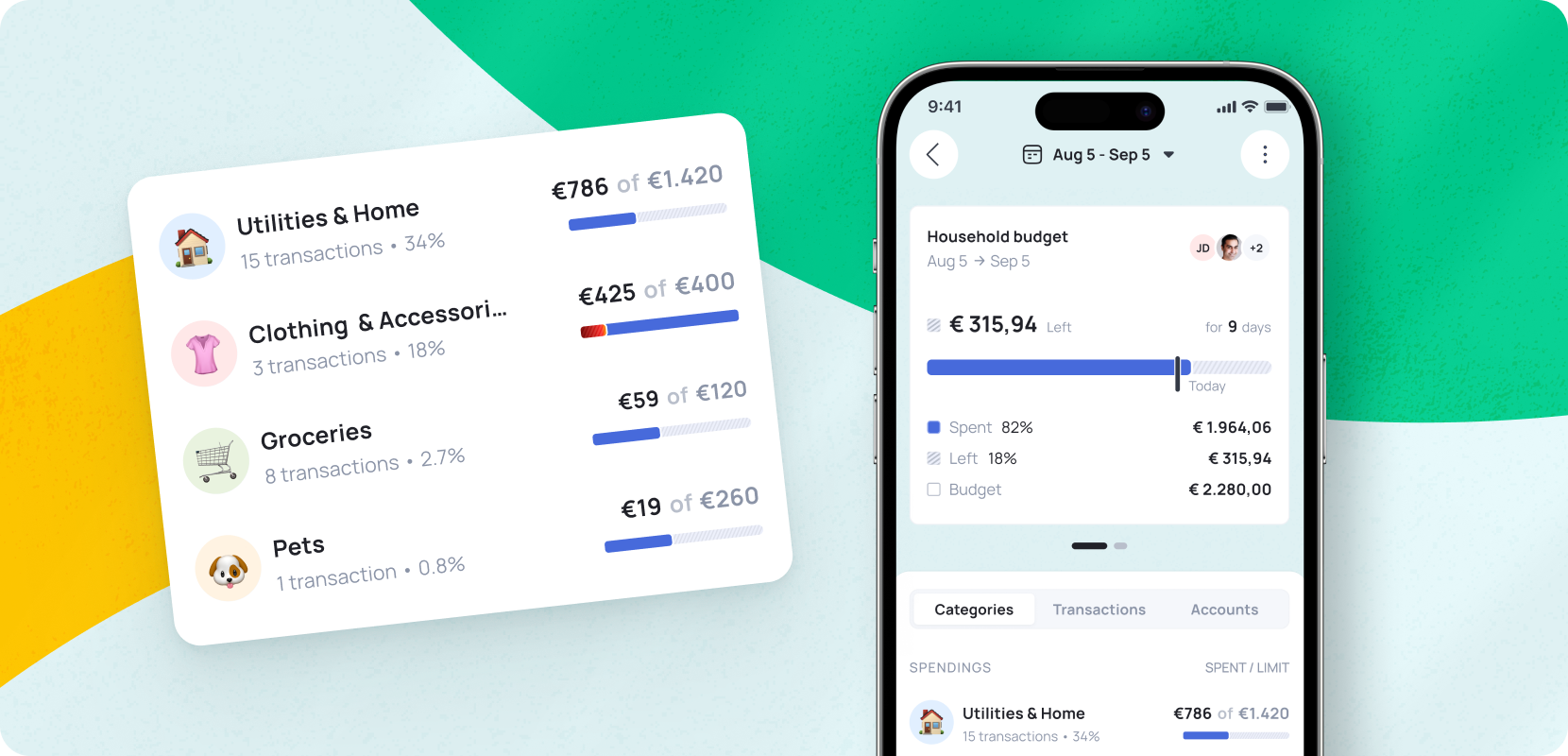
1. How It Works 🤔
Grassfeld consists of a mobile app for your smartphone and a web-based platform for desktop, giving you insight into your financial situation anytime, anywhere. Within minutes, you can create a free account and link your bank account. After that, you can start budgeting, setting savings goals, and categorising transactions.
2. Transactions 💵
When you open the Grassfeld app, you’ll see several tabs at the bottom of the screen. Under ‘Transactions’, you get a real-time overview of your cash flow. Transactions are categorised largely automatically, so there’s no need to enter them manually. This saves significant time compared to maintaining a traditional household budget.
Did you know you can customise the app to suit your own preferences? You can create custom categories and assign your transactions to them, giving you a fully personalised overview.
3. Statistics ✔️
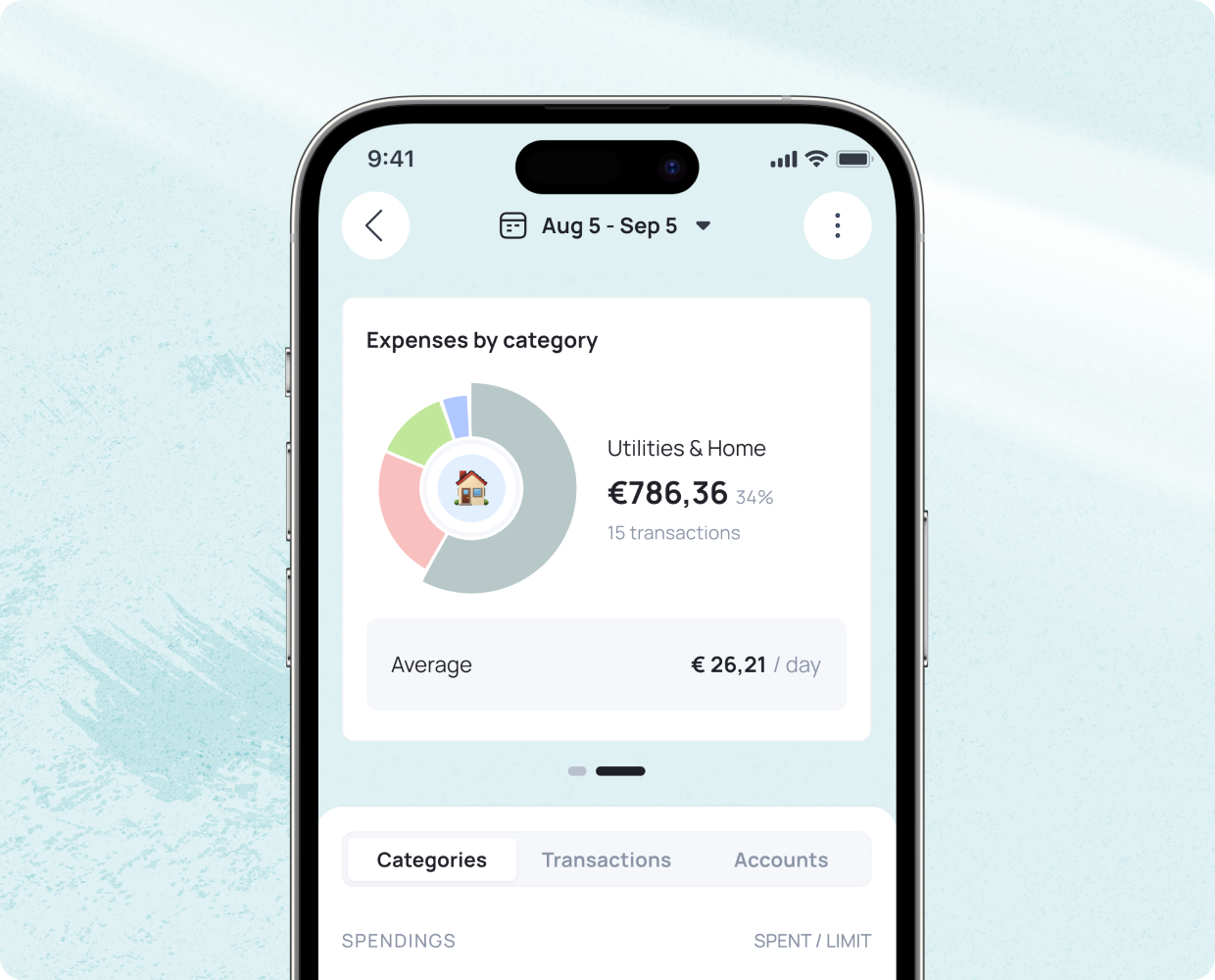
The purpose of categorising transactions is to gain insight and clarity. This broader perspective becomes visible under the ‘Statistics’ tab — one of the app’s major advantages over traditional budgeting methods. In a pie chart or timeline, you can see your total expenses and income for any selected period at a glance. Click on any colour in the graph for a more detailed view of the categories in which you spend the most. This provides valuable insights that help you set realistic budgets and accelerate your savings.
4. Budgets 💰
Under the ‘Budgets’ section, you can quickly and easily set up budgets. Tap the plus sign, enter the name of your budget along with a spending limit, assign it to a category, and click create. Afterwards, the Budgets home screen shows you at a glance how much money you still have left to spend within that category. You can also scroll through previous months to see whether you stayed within your budget.
Turn on app notifications to receive alerts when you’re close to exceeding your budget.
5. Savings Goals 🎯
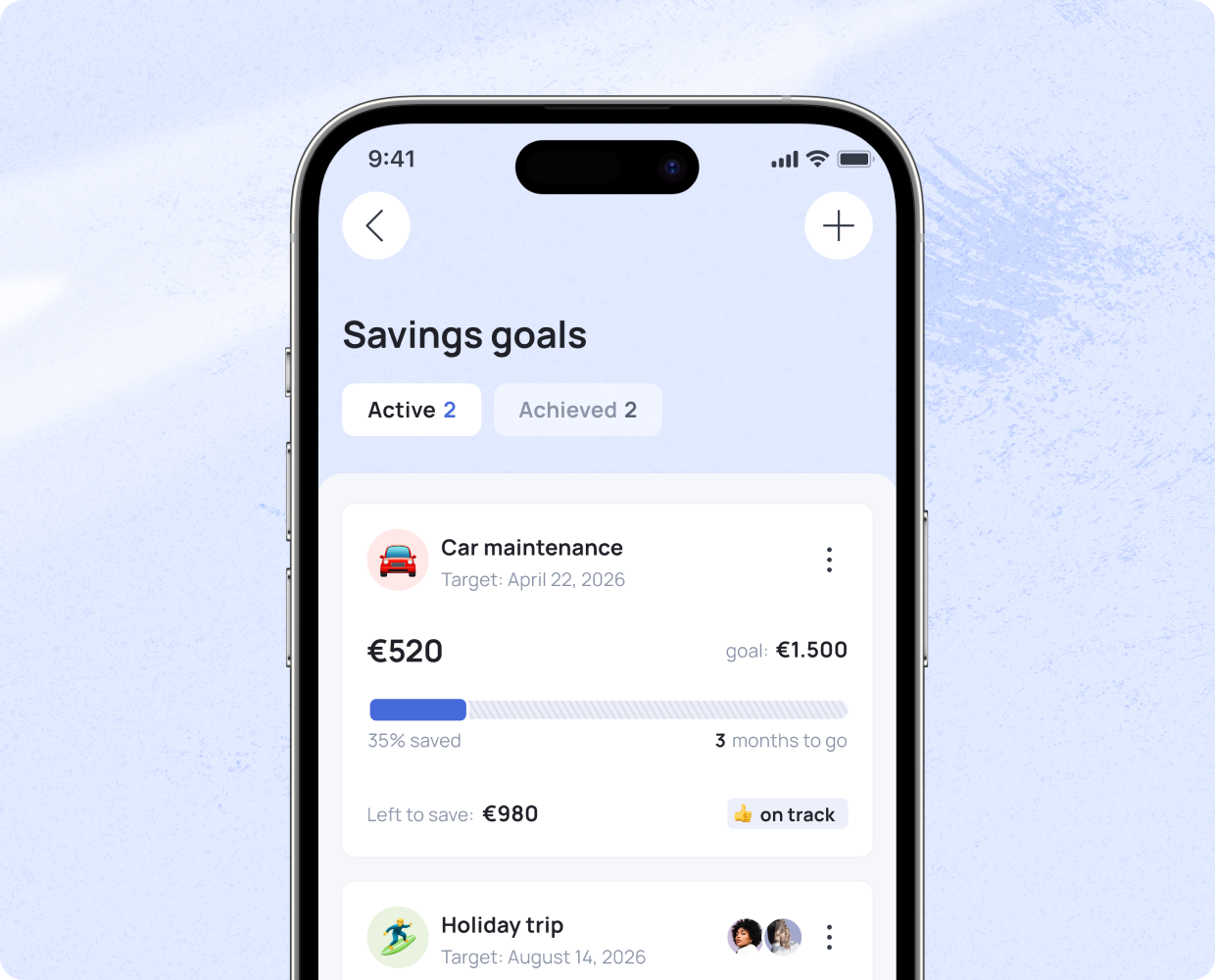
Under the ‘Savings Goals’ section, you can track your progress towards a financial goal — such as a holiday, a car, or another large purchase. Choose one of the preset goals or create your own. Give your goal a title, set a target amount, and choose a target date. Optionally, add the amount you’ve already saved, and the app will calculate how much you need to save each month to reach your goal on time.
6. Control Over Your Money: The Grassfeld App 📱
Looking for the best app for managing your household budget? Then Grassfeld is your go-to solution. It’s simple, secure, and designed to help you gain — and maintain — control over your finances. With its wide range of features, you’ll always know exactly where your money is going and can act quickly when you need to cut back or adjust your spending.
Grassfeld is free to use, but you can also upgrade to Grassfeld Premium. This unlocks access to all features of our digital household budgeting solution. For example, you can generate unlimited financial reports, share access to your account with others, and link multiple bank accounts to the app.
📲 Download the free Grassfeld app from your app store and experience the convenience for yourself.