In earlier Grassfeld articles, we described Excel as the digital successor to the old-fashioned household ledger. Where you once wrote down every transaction by hand, you can now do that in a spreadsheet. Grassfeld goes a step further by automatically importing transactions from connected bank accounts and categorizing most of them.
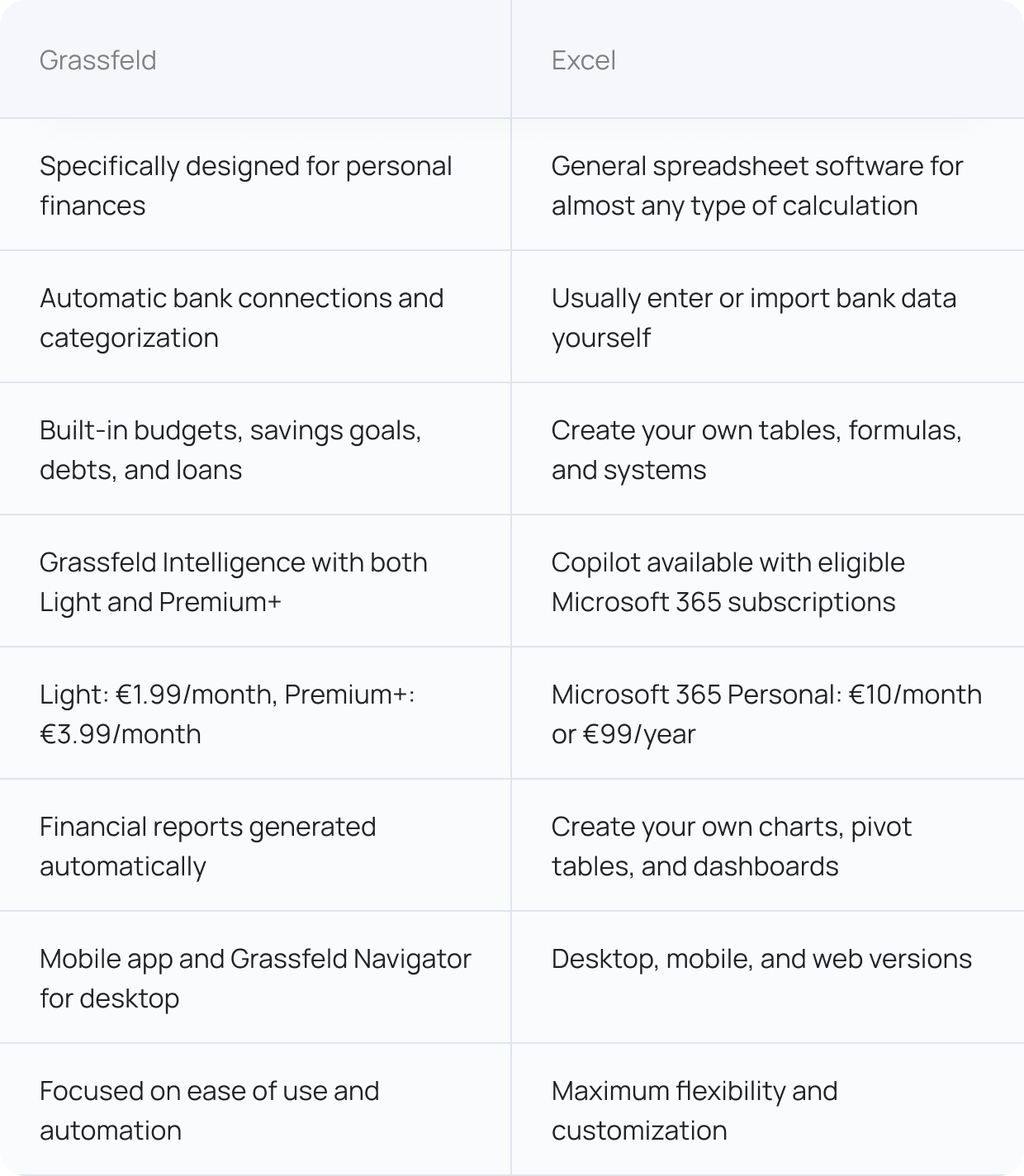
Grassfeld vs. Excel: the key differences
Excel: maximum flexibility, but you have to build it yourself
Let’s get one thing out of the way: Excel is incredibly powerful. With formulas, pivot tables, charts, and your own categories, you can build a financial dashboard exactly the way you want.
For example, do you want to calculate exactly what percentage of your income goes toward housing, groceries, and savings each month? No problem. Do you also want to build a forecast for the next five years? You can do that too.
But Excel mainly gives you the tools. You have to build the financial system around them yourself. Do you download your transactions from your bank as a CSV file? Then you have to import them, add categories, and make sure your formulas and charts keep working. Add a new account or change the structure of your file, and you may also need to adjust your spreadsheet.
For someone who enjoys working with formulas and wants full control, that is actually an advantage. For someone who mainly wants to know where their money is going, it can quickly become another administrative task.
Excel is not automatically free
One notable difference is the price. To many people, Excel feels like software that is “just on the computer,” but the full version is not free.
Microsoft 365 Personal currently costs €10 per month or €99 per year. In addition to Excel, that also includes Word, PowerPoint, Outlook, OneDrive, and Copilot, among other products. You can also buy Office Home 2024 for a one-time price of €149.
There is also Excel for the web, which lets you use spreadsheets in your browser with a Microsoft account. Microsoft itself states that not all features of the desktop version are available in the same way.
Grassfeld Light costs €1.99 per month, and Premium+ costs €3.99 per month. When billed annually, that comes to €21.99 and €43.99 per year, respectively.
Grassfeld: less building, more managing
Grassfeld is designed from the ground up for personal finances. Connect your bank account, and transactions are imported automatically and mostly categorized. You then use the same data for your budgets, savings goals, analytics, and reports. With Premium+, you can connect an unlimited number of bank accounts and share budgets and savings goals, among other features.
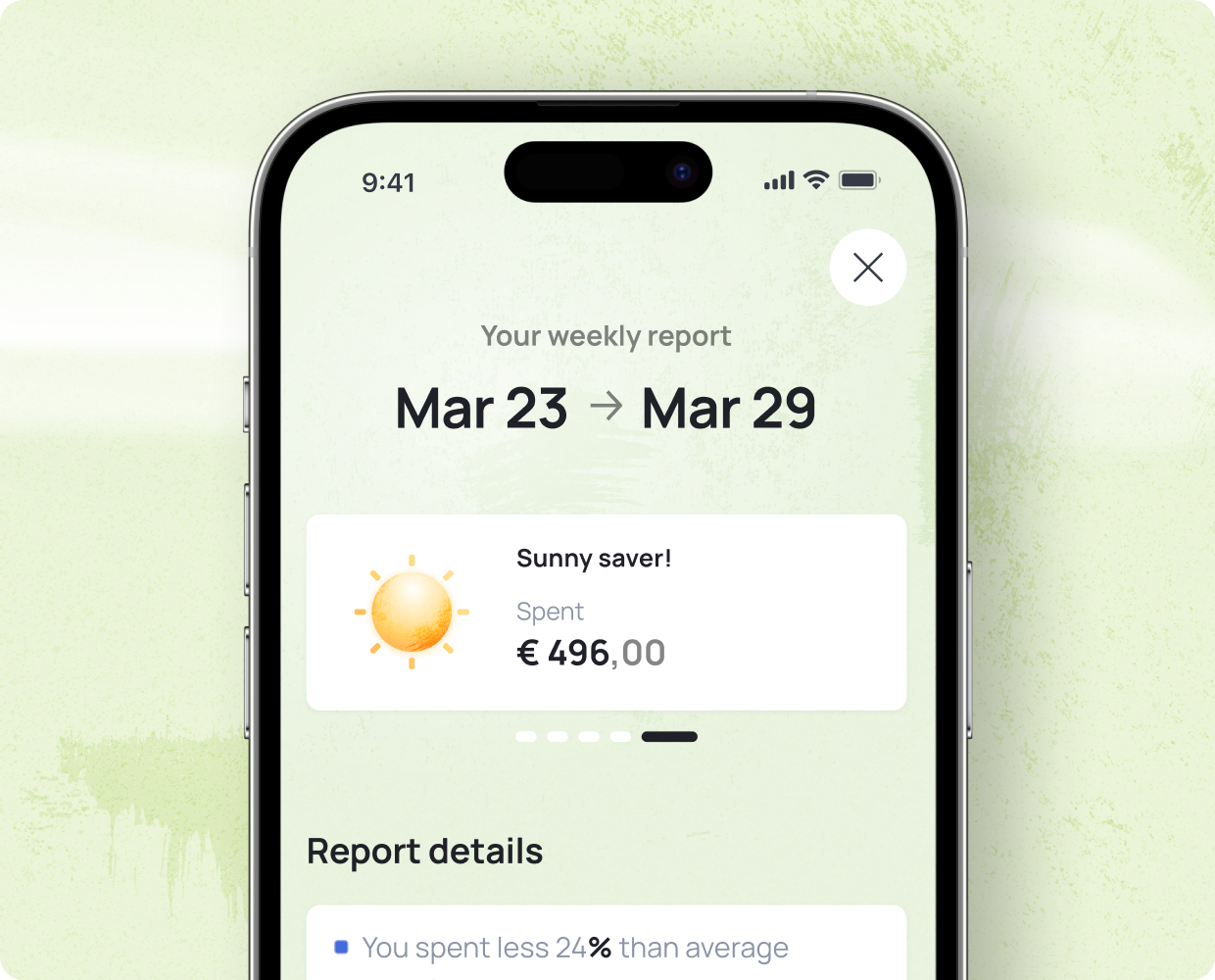
So while you first have to design a system in Excel, Grassfeld’s financial structure is already set up for you. That saves a lot of work. And the fewer transactions you have to process manually, the easier it becomes to actually keep your financial overview up to date.
Grassfeld Intelligence vs. Copilot in Excel
Excel also has AI these days. Copilot in Excel can analyze spreadsheets, generate formulas, create charts, and answer questions about data in your workbook. Microsoft even specifically mentions analyzing a budget spreadsheet as a use case.
The main difference is the context. Copilot is a general AI assistant for spreadsheets. You first have to make sure your financial information is correct and complete in Excel.
Grassfeld Intelligence is built specifically around your personal finances. The assistant can use information that is already available within Grassfeld, such as your transactions, budgets, and savings goals. That means you do not first have to design your own financial spreadsheet.
Grassfeld or Excel: which one is right for you?
Do you want complete freedom, enjoy working with formulas, and want to decide exactly what every table and chart looks like? Then Excel remains an exceptionally powerful tool.
Do you mainly want to spend less time maintaining your financial records and automatically gain insight into your transactions, budgets, savings goals, and financial planning? Then Grassfeld is more specifically designed for that.
Excel gives you a blank worksheet on which you can build anything. Grassfeld gives you a financial system that is already set up for you. And with Grassfeld Intelligence, you do not just have to look at the numbers; you can ask questions about them directly.
Want to automatically keep track of your income and expenses, create budgets and savings goals, and use Grassfeld Intelligence to better understand your financial situation? Download the Grassfeld app from your app store now!